Custom domain
Host your forms on your own domain (e.g. forms.yourcompany.com) instead of a halloform.com link.
How it works#
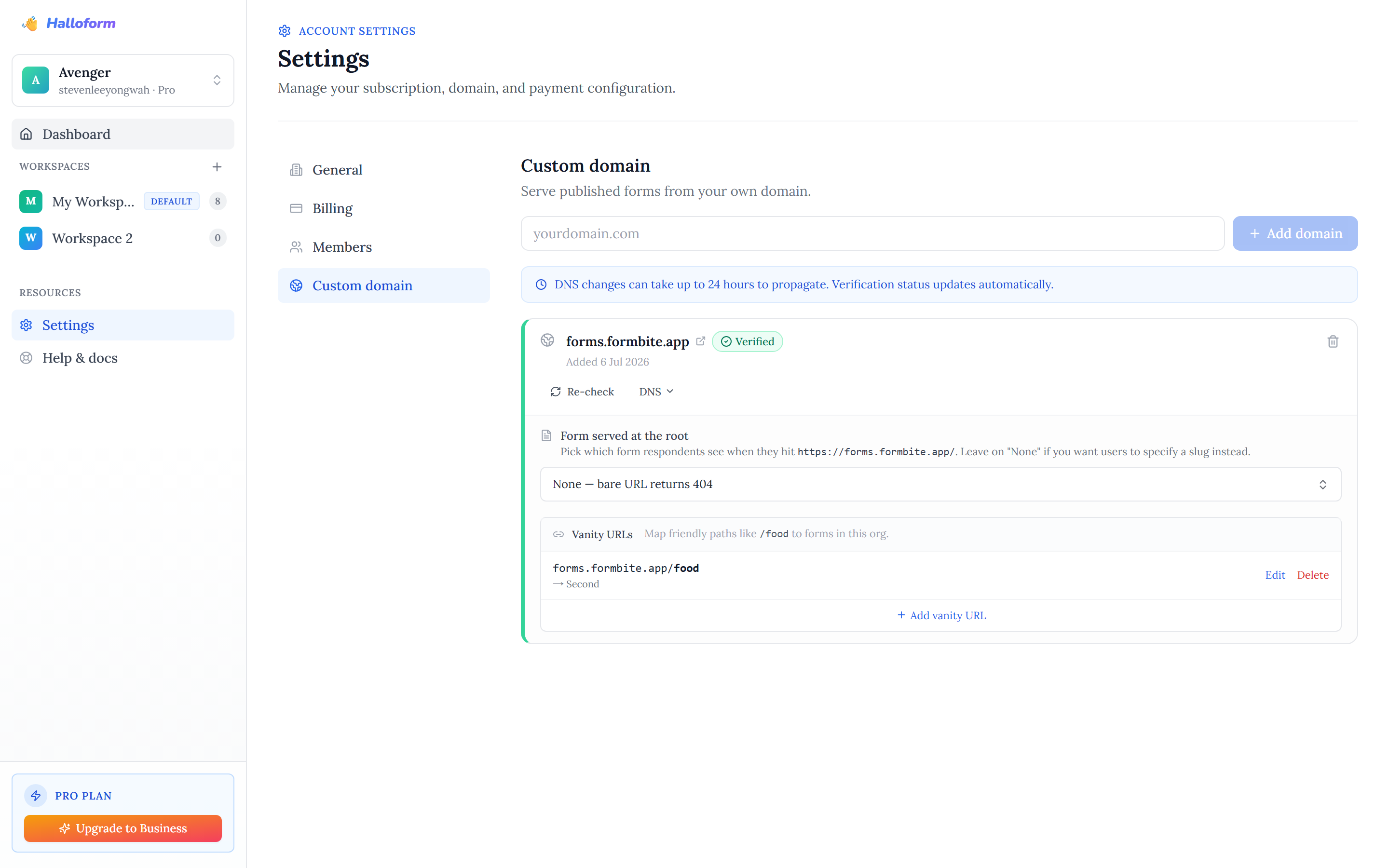
A custom domain serves your forms from a subdomain you own — like forms.acme.com/contact — so respondents never see a halloform.com URL. Your branding, your domain.
Add a domain#
- Go to Settings → Custom domains.
- Enter the subdomain you want to use, e.g. forms.acme.com, and save.
- The domain appears as "Pending" until DNS is verified.
Point your DNS#
At your DNS provider, add a CNAME record for the subdomain pointing at our edge:
Type:  CNAME
Name:  forms            (the subdomain part)
Value: cname.halloform.com
Then use Re-check on the domain's card. DNS changes can take up to 24 hours to propagate, and the verification status updates automatically — the card flips to a green "Verified" badge once the record is live.
Map forms to the domain#
Once a domain shows Verified, its card lets you decide what respondents see on it:
- Form served at the root — pick which form answers the bare domain (e.g. https://forms.acme.com/). Leave it on "None" and the bare URL returns 404, so every form is reached by an explicit path instead.
- Vanity URLs — map friendly paths to forms, like forms.acme.com/food → your order form. Add, edit, or remove these at any time.
Plans#
Adding and verifying custom domains requires a Pro or Business subscription. Free forms always remain reachable at their halloform.com link.