Billing & plans
How Halloform's Free, Pro, and Business plans compare, and how to upgrade or manage your subscription.
The plans#
Halloform has three tiers — Free, Pro, and Business. Almost every feature lives on the Free plan; the paid tiers add scale, branding removal, verification, and support rather than unlocking the core builder.
What's free#
Free is generous and free forever:
- Unlimited forms and submissions.
- All 20+ field types, conditional logic, variables, and calculations.
- Quiz mode and scoring.
- Payments, commerce, and integrations (Sheets, Calendar, Notion, webhooks, Stripe, PDF Fill).
- Scheduling and calendar booking.
- Unlimited team members and workspaces.
- Email and push notifications, plus drop-off analytics.
- PDF generation and file uploads up to 25 MB.
Pro#
Pro adds everything in Free, plus partial submissions and refill links, unlimited custom domains, removing Halloform branding, and file uploads up to 1 GB.
Business#
Business adds everything in Pro, plus respondent email verification (OTP) and priority email + WhatsApp support.
Upgrade & manage#
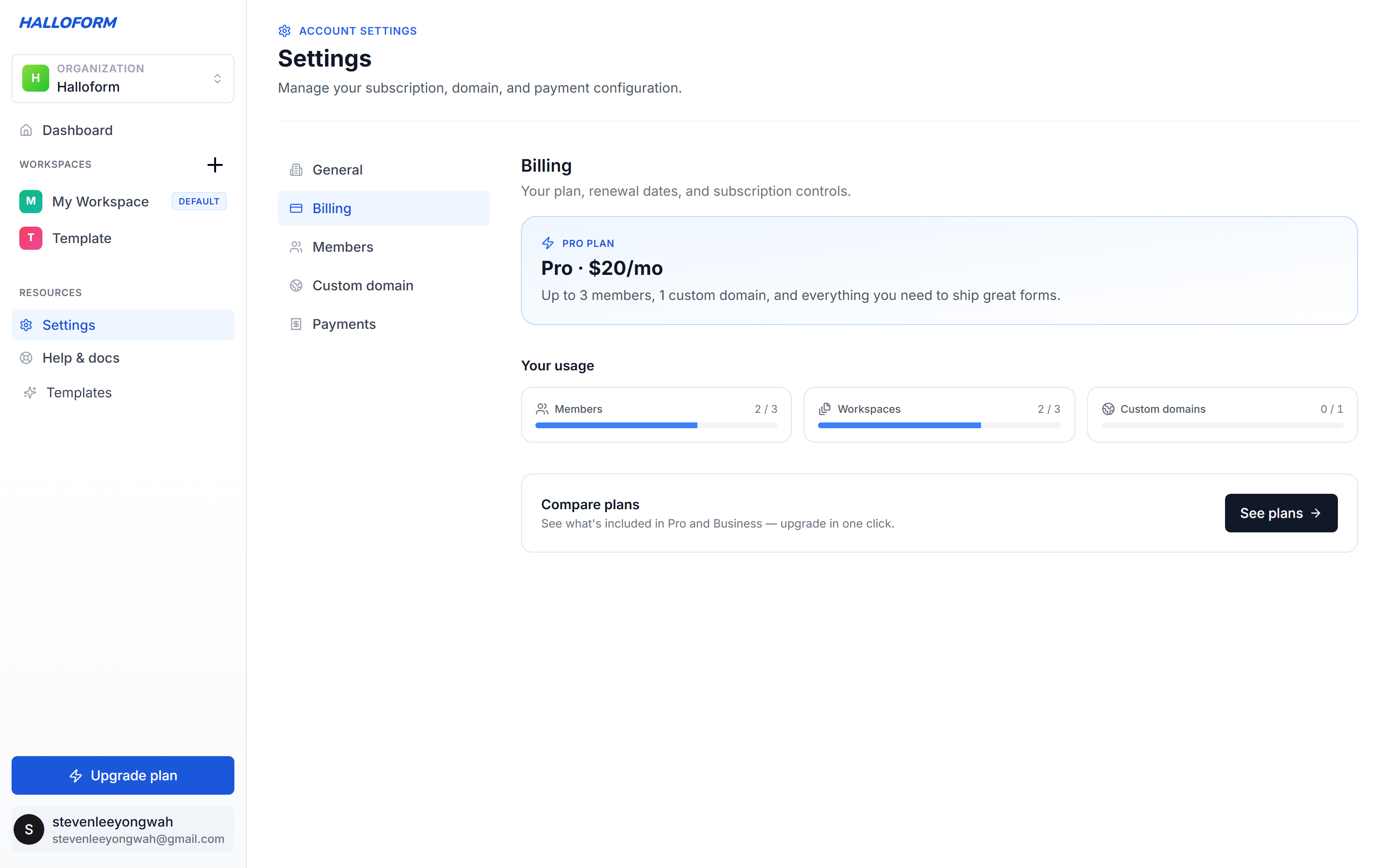
Upgrade from the in-app upgrade dialog or your Settings → Billing page. The Billing tab shows your current plan, live usage meters (members, workspaces, custom domains), a Compare plans link, and an unsubscribe control. Payments and subscriptions are handled by Stripe, so your card details, invoices, and renewals are managed securely there — change or cancel your plan anytime.